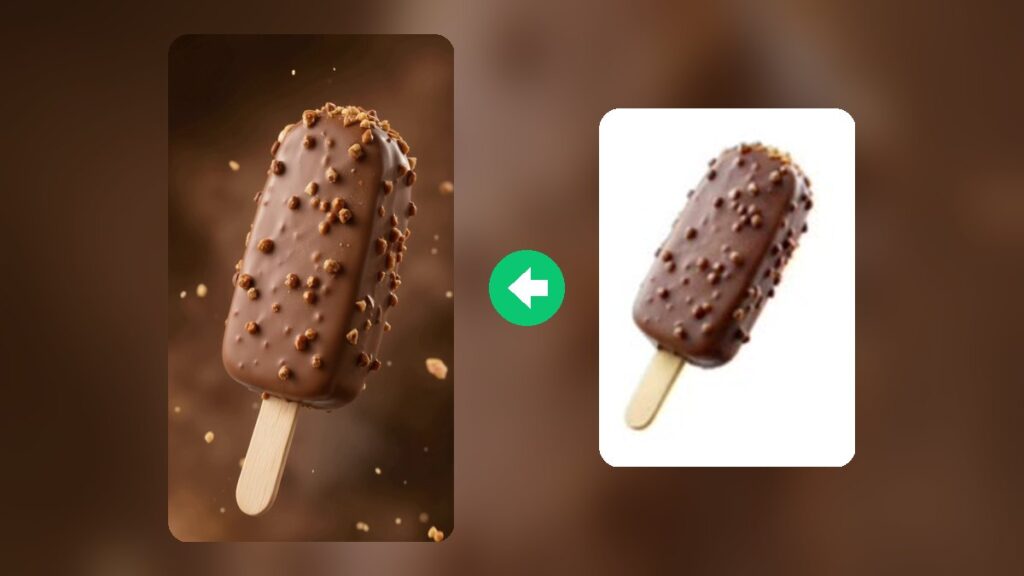
هل تريد عمل إعلان فيديو بالذكاء الاصطناعي لمنتجك، لكن ليس لديك كاميرا احترافية ولا استوديو تصوير؟ الإعلان الذي تراه بالأسفل لم يُصوَّر أبدًا: بدأنا بـصورة منتج واحدة، ثم استخدمنا برومبت (أمر نصي) في ChatGPT وآخر في Gemini، فخرج لنا فيديو إعلاني كامل.
في هذا المقال نشرح لك طريقة تحويل صورة المنتج إلى فيديو إعلاني خطوة بخطوة بالصور، مع البرومبت الجاهز لتنسخه بضغطة زر.
- في ChatGPT: ارفع صورة منتجك والصق برومبت لوحة القصة، فتحصل على صورة فيها ٩ لقطات طولية مرتبة.
- في Gemini: ارفع صورة لوحة القصة والصق برومبت الفيديو، فيحوّلها إلى فيديو إعلاني.
- لا تحذف سطر No text, no logos, no watermark حتى يخرج الإعلان نظيفًا وتضيف عليه اسمك وشعارك.
ماذا تحتاج لعمل إعلان لمنتج بالذكاء الاصطناعي؟
- صورة واضحة لمنتجك: خلفية سادة، وإضاءة جيدة، والمنتج ظاهر بالكامل.
- حساب في ChatGPT لصنع لوحة القصة (صنعناها بحساب مجاني).
- حساب في Gemini لتحويل لوحة القصة إلى فيديو.
لماذا نبدأ بلوحة القصة (ستوري بورد) قبل الفيديو؟
عندما تطلب فيديو من الذكاء الاصطناعي مباشرة، تخرج لك غالبًا لقطات عشوائية لا تحكي قصة. أما عندما تعطيه لوحة قصة فيها ٩ لقطات مرتبة، فيصبح لديه مخطط واضح يسير عليه من أول مرحلة حتى المنتج النهائي، فيخرج الإعلان مترابطًا مثل الإعلانات الاحترافية.
الخطوة الأولى: صنع لوحة قصة من ٩ لقطات في ChatGPT
- افتح ChatGPT وارفع صورة منتجك.
- الصق برومبت لوحة القصة (تجده في قسم «برومبت فيديو جاهز للنسخ» بالأسفل).
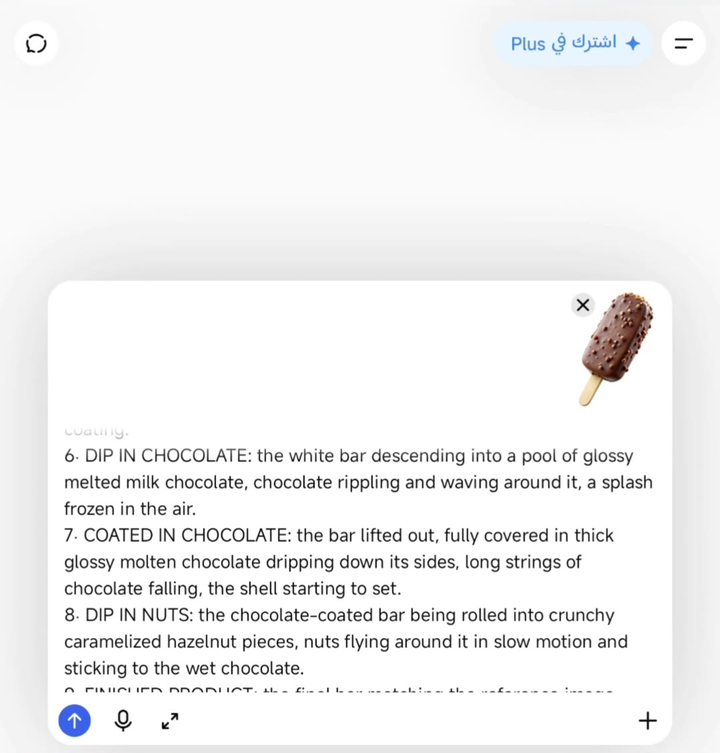
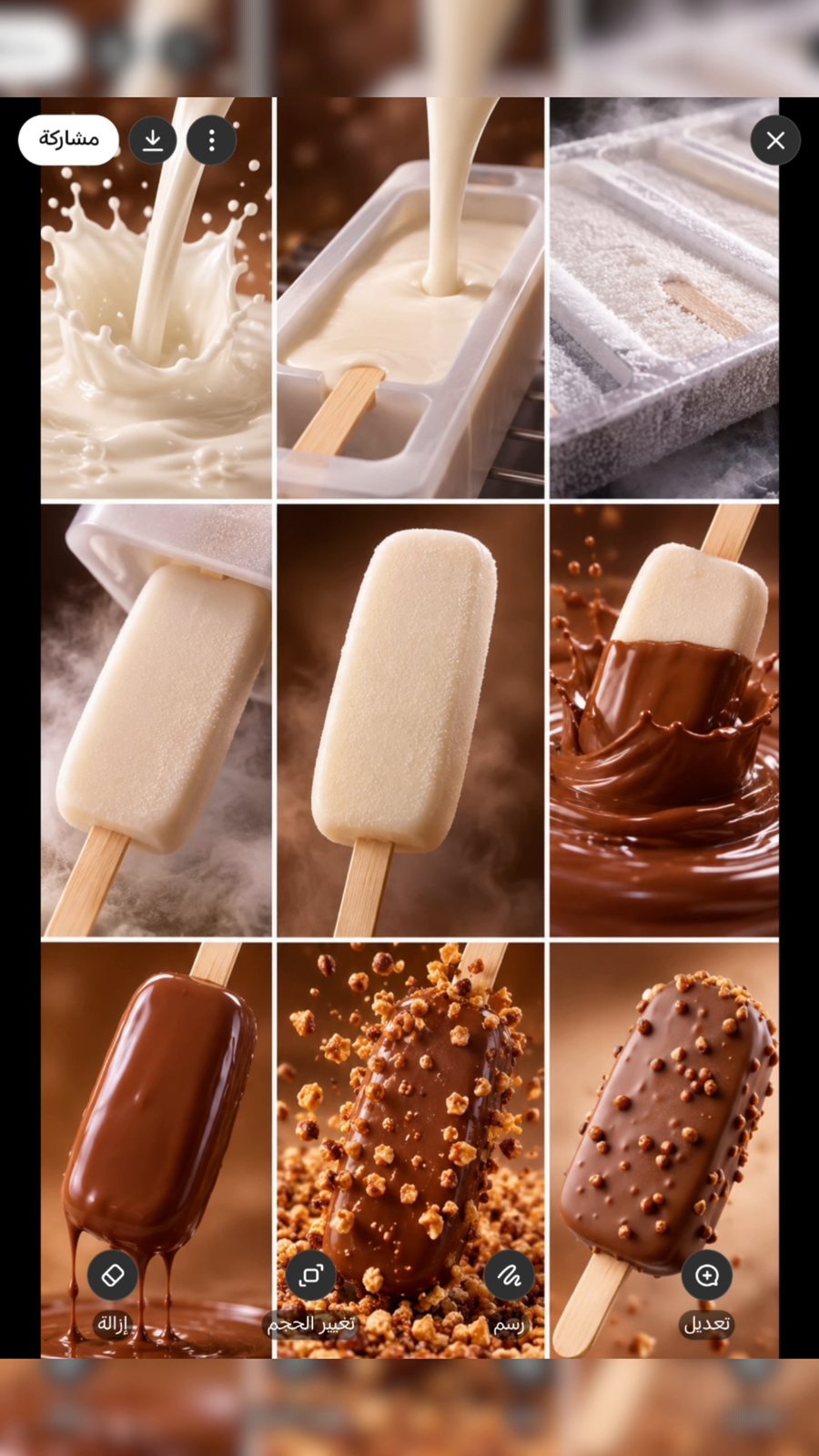
- سيصنع لك ChatGPT صورة واحدة فيها ٩ لقطات طولية مرتبة، من أول مرحلة حتى المنتج الجاهز. افتحها ونزّلها على جهازك.
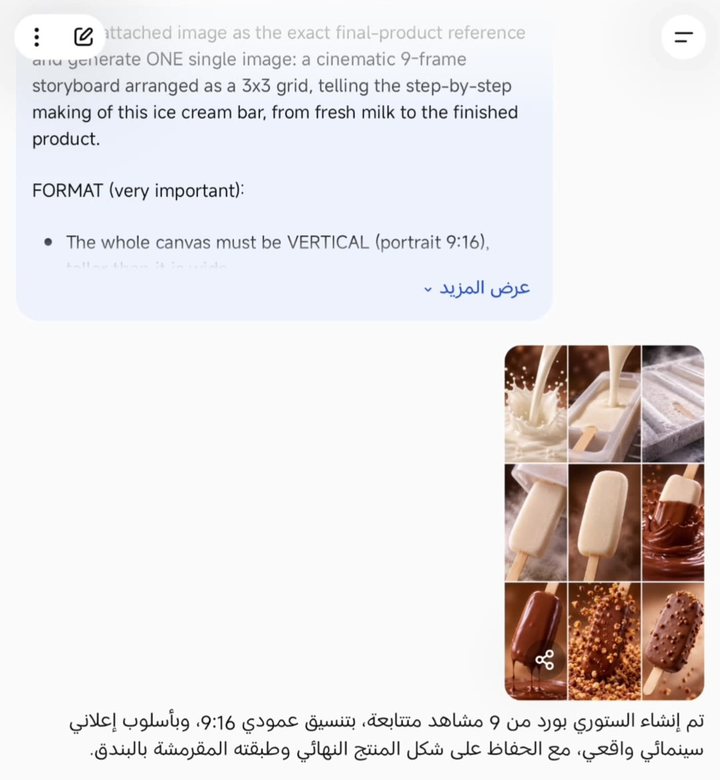
وهذه لوحة القصة التي حصلنا عليها بالحجم الكامل: الحليب، ثم القالب، ثم التجميد، ثم التغطيس بالشوكولاتة والمكسرات، حتى الآيس كريم النهائي.
الخطوة الثانية: تحويل الصورة إلى فيديو بالذكاء الاصطناعي في Gemini
- افتح Gemini وارفع صورة لوحة القصة نفسها.
- الصق برومبت الفيديو، وهو يطلب منه أن يسير على اللقطات التسع بالترتيب ويربطها بانتقالات ناعمة.
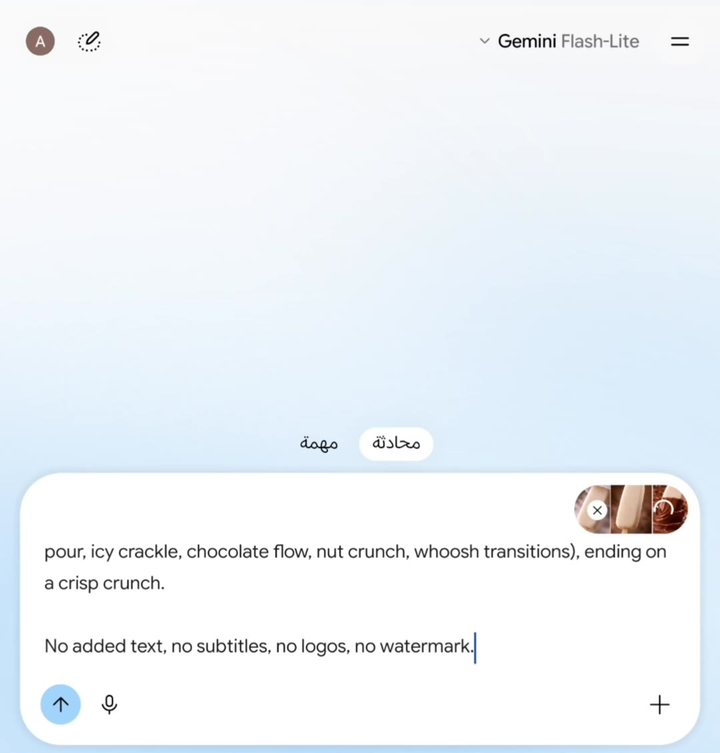
- انتظر بضع دقائق حتى يجهز الفيديو، ثم نزّله.
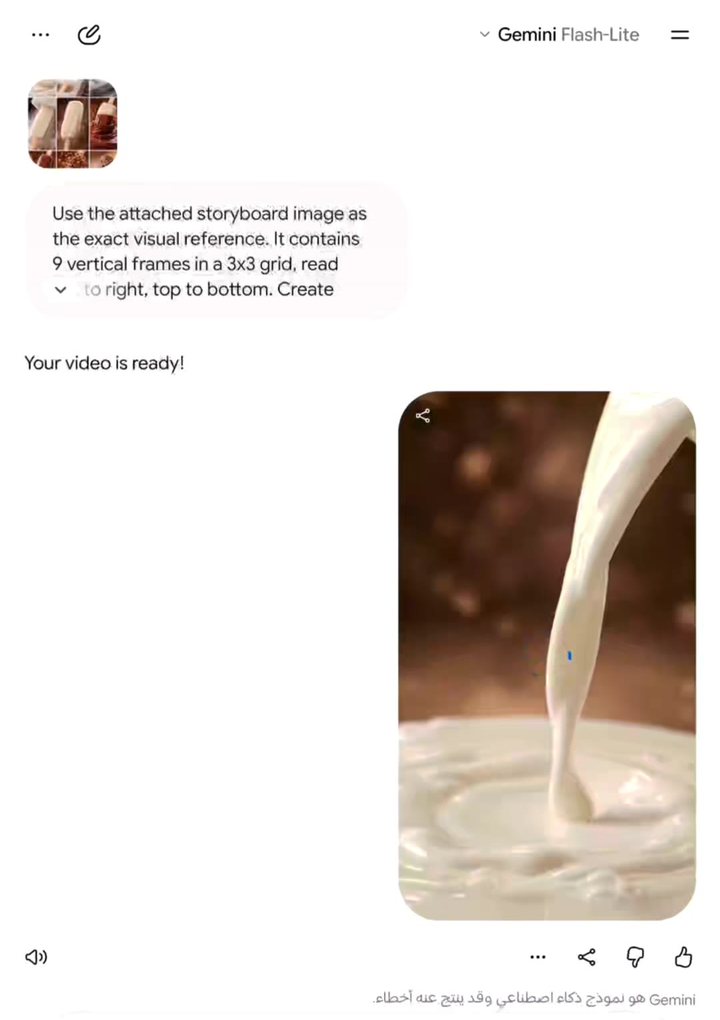
برومبت فيديو جاهز للنسخ
اضغط «نسخ الأمر» والصقه كما هو، ثم غيّر الأجزاء المظللة بالأصفر لتناسب منتجك.
١. برومبت لوحة القصة (في ChatGPT)
Use the attached image as the exact final-product reference and generate ONE single image: a cinematic 9-frame storyboard arranged as a 3x3 grid, telling the step-by-step making of this ice cream bar, from fresh milk to the finished product.

FORMAT (very important):
- The whole canvas must be VERTICAL (portrait 9:16), taller than it is wide.
- EVERY one of the 9 frames must be strictly VERTICAL / PORTRAIT (9:16). No square or horizontal frames.
- 3 columns x 3 rows, equal-sized vertical frames, thin white gaps between them.
- No text, no captions, no numbers, no logos, no watermark.

FINAL PRODUCT (frames 8 and 9 must match the reference image exactly): a milk-chocolate-coated ice cream bar on a natural wooden stick, glossy smooth chocolate shell, crunchy caramelized hazelnut pieces scattered on it, same shape, proportions and colors.

STYLE: ultra-realistic high-end food commercial photography, macro lens, shallow depth of field, dramatic warm studio lighting with soft rim light, creamy whites, rich chocolate browns and golden caramel tones, clean cream studio background, glossy appetizing highlights, subtle cold mist. Same lighting and color grading across all frames.

THE 9 STEPS, in order:
1. MILK: fresh creamy white milk splashing and swirling in a dramatic crown shape, frozen mid-air, with a few milk droplets, dark warm background.
2. MILK TO MOLD: thick creamy milk mixture being poured into a rectangular ice cream bar mold, a wooden stick placed in the center, milk flowing smoothly.
3. FREEZING: the filled mold covered in frost and cold mist, ice crystals on the surface, freezing process, macro shot.
4. UNMOLDING: the frozen plain white milk ice cream bar emerging from the mold on its wooden stick, frosty and smooth, cold vapor around it.
5. MILK ICE CREAM READY: hero shot of the plain white creamy milk ice cream bar held upright on its stick, frosty and glossy, before any coating.
6. DIP IN CHOCOLATE: the white bar descending into a pool of glossy melted milk chocolate, chocolate rippling and waving around it, a splash frozen in the air.
7. COATED IN CHOCOLATE: the bar lifted out, fully covered in thick glossy molten chocolate dripping down its sides, long strings of chocolate falling, the shell starting to set.
8. DIP IN NUTS: the chocolate-coated bar being rolled into crunchy caramelized hazelnut pieces, nuts flying around it in slow motion and sticking to the wet chocolate.
9. FINISHED PRODUCT: the final bar matching the reference image exactly, fully coated in chocolate and nuts, hero commercial shot with a few crumbs falling, premium and irresistible.

CAMERA: vary angles between frames (macro, low angle, side profile, top-down, close-up), keeping one cohesive visual language that can be animated into a vertical video. Compose each frame so the subject fills the tall portrait frame.
٢. برومبت الفيديو السينمائي (في Gemini)
Use the attached storyboard image as the exact visual reference. It contains 9 vertical frames in a 3x3 grid, read left to right, top to bottom. Create ONE seamless vertical 9:16 cinematic video commercial that follows these 9 frames in order, turning each frame into a smooth, continuous shot with real motion, connected by fluid transitions.

STYLE: ultra-realistic world-class premium ice cream commercial, macro cinematography, shallow depth of field, warm studio lighting with soft golden rim light, creamy whites, rich chocolate browns and caramel tones, glossy appetizing highlights, cold mist and vapor, slow-motion hero moments. Keep the exact same look, colors and product design as in the storyboard throughout. The final chocolate ice cream bar must match the last frame exactly: milk-chocolate shell, crunchy caramelized nut pieces, natural wooden stick, with no changes to shape or proportions.

SHOT SEQUENCE (about 2-3 seconds each):
1. Creamy white milk pours into a pool in extreme slow motion, a crown-shaped splash rising with droplets flying around, the camera slowly pushing in.
2. Thick creamy milk flows smoothly into the ice cream mold with the wooden stick, the camera gliding along the mold as the surface rises.
3. Frost forms across the mold, ice crystals spreading, cold vapor drifting through the frame in a slow macro move.
4. The mold lifts away in slow motion and the frozen white milk ice cream bar is revealed on its stick, cold mist rolling around it.
5. The plain white bar rotates slowly in a hero shot, frosty surface sparkling, a slow dolly around it.
6. The bar plunges into the pool of glossy milk chocolate, thick chocolate waves rise and wrap around it, a crown splash frozen in mid-air.
7. The bar rises out of the chocolate fully coated, thick glossy chocolate dripping and stretching in strings, a slow tilt from the drips up to the stick.
8. The coated bar rolls through a burst of crunchy caramelized nut pieces, nuts flying all around it in slow motion and sticking to the wet chocolate.
9. Final hero shot: the finished bar floats and rotates gently with a few crumbs falling, a slow dramatic push-in on the glossy chocolate and crunchy nuts, then it holds still.

TRANSITIONS: match-cuts and motion-driven transitions (milk splash, mist wipes, chocolate waves, nut bursts carry from one shot into the next), no fades to black.

CAMERA: smooth cinematic movement, macro pushes, orbits, tilts and dolly shots, high-end commercial energy, building rhythm toward the final hero shot.

AUDIO: soft cinematic music that builds, with satisfying sound design (milk pour, icy crackle, chocolate flow, nut crunch, whoosh transitions), ending on a crisp crunch.

No added text, no subtitles, no logos, no watermark.
النتائج تختلف من محاولة إلى أخرى. إذا لم تعجبك النتيجة، جرّب مرة ثانية، أو عدّل وصف اللقطة التي خرجت بشكل غير مناسب فقط.
كيف تعدّل البرومبت ليناسب منتجك؟
الأجزاء المظللة بالأصفر في البرومبت خاصة بالآيس كريم، فغيّرها لتناسب منتجك:
- اسم المنتج: بدل «ice cream bar» اكتب اسم منتجك بالإنجليزية (عطر، كعكة، ساعة، حقيبة…).
- المراحل التسع: اكتب قصة صناعة منتجك أو قصة استخدامه من البداية إلى النهاية. مثال للعطر: الزهور ← القطف ← التقطير ← القارورة ← التغليف.
- شكل المنتج النهائي: صِفه بدقة كما يظهر في صورتك (اللون، الشكل، الخامة).
- الألوان والإضاءة: اختر ألوانًا تناسب هوية منتجك.
أهم سطر في البرومبت
في نهاية البرومبتين ستجد هذا السطر: No text, no logos, no watermark، ومعناه: بدون نصوص ولا شعارات ولا علامات مائية. لا تحذفه، حتى تخرج الصور والفيديو نظيفة، ثم تضيف اسم منتجك وشعارك بنفسك.
هل تريد أن تتعلم المزيد عن صناعة الإعلانات بالذكاء الاصطناعي؟
ننصحك بدورة صناعة الإعلانات بالذكاء الاصطناعي مع د. محمد مصطفى، ضمن اشتراك من بيتي لكل الدورات: 97 ريال سعودي · 26 دولار أمريكي سنويًا.
أسئلة شائعة
هل يمكن عمل إعلان بالذكاء الاصطناعي مجانًا؟
يمكنك البدء بالحسابات المجانية: صنعنا لوحة القصة في هذا المثال بحساب ChatGPT مجاني. أما ميزة صناعة الفيديو في Gemini فتختلف حسب نوع حسابك ودولتك، ولها عدد محدود من المرات.
هل يجب أن أكتب البرومبت بالإنجليزية؟
الأفضل نعم. انسخ البرومبت كما هو وغيّر الأجزاء المظللة فقط، فالنتيجة تكون أدق.
لم تظهر لي ميزة الفيديو في Gemini، ماذا أفعل؟
يمكنك استخدام لوحة القصة نفسها والبرومبت نفسه في أي أداة لتحويل الصور إلى فيديو تقبل صورة مرجعية.
هل تصلح هذه الطريقة لأي منتج؟
نعم، تصلح للعطور والأطعمة والملابس والإكسسوارات وغيرها. المهم أن تكون الصورة واضحة، وأن تكتب قصة من ٩ مراحل تناسب منتجك.
مقالات قد تفيدك

صناعة الإعلانات بالذكاء الاصطناعي
اصنع إعلانات منتجاتك بالذكاء الاصطناعي خطوة بخطوة.
ضمن اشتراك من بيتي لكل الدورات: ٩٧ ريال سعودي · ٢٦ دولار أمريكي سنويًا
شوف الدورة ←